How to Choose CNC Programming Software for Global Buyers?

Time:2026-10-13 Author:Aria
0%

Choosing CNC programming software is no longer a simple comparison of toolpaths, licenses, and interface colors. Global buyers must examine machine compatibility, post-processor quality, simulation accuracy, cybersecurity, training, and long-term support. A polished demo can still hide expensive problems.

The global CNC machine market continues to expand. Fortune Business Insights estimates the market could grow from roughly $83 billion in 2023 to more than $140 billion by 2030. That growth increases software choices, but it also increases selection risk. Autodesk’s 2024 State of Design & Make report highlights persistent skills shortages and pressure to improve productivity. These findings matter on the shop floor. A programmer may need to verify a five-axis collision before a titanium part reaches the spindle.

So, what software is used for CNC programming? Common options include CAM platforms such as Mastercam, Autodesk Fusion, Siemens NX, and ESPRIT. The right answer depends on production complexity, machine brands, file formats, and operator experience. Mike Lynch, founder of CNC Concepts, describes CNC programming as “a manufacturing process, not merely a software function.” That practical view is important. Software should support sound machining decisions, not replace them.

This guide compares the factors global buyers should investigate, including regional support, licensing models, post customization, and verified customer results. Some claims from vendors deserve skepticism. A lower subscription cost may become expensive after customization and training. An impressive simulation may not reflect your actual controller. Buyers should test real parts, real materials, and real machines before signing. Mistakes here are possible, and often costly.
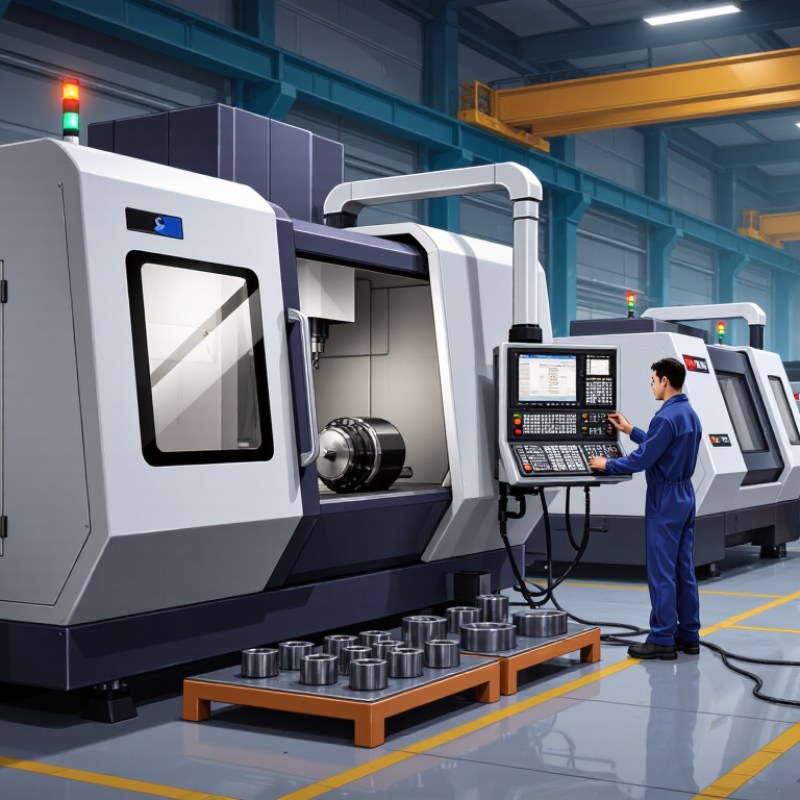
How to Choose CNC Programming Software for Global Buyers?

Define CNC Programming Software and Its Role in Global Manufacturing

CNC programming software is the digital layer between a part design and a cutting machine. It creates toolpaths, simulates material removal, and converts instructions into machine-ready code. In global manufacturing, its role extends beyond coding. It helps teams control tolerances, reduce collisions, shorten setup time, and repeat production across different facilities.

The need is measurable. Deloitte’s 2024 Smart Manufacturing and Operations Survey found that 86% of manufacturers expect smart manufacturing to drive competitiveness within three years.

Meanwhile, the International Federation of Robotics reported 541,302 industrial robots installed worldwide in 2023.

These figures suggest that CNC software must work reliably inside connected, automated production cells. Compatibility with controllers, five-axis machines, post-processors, and inspection systems deserves careful testing.

Run a realistic trial.

Load a complex component, set a 0.02-millimeter tolerance, and simulate tool changes, fixtures, and rapid movements. Check whether the software produces clear warnings, stable code, and useful reports. It should also support secure file exchange and practical training for teams across time zones. No platform is perfect. A system that looks efficient in a demonstration may become difficult during revisions or unusual materials. Buyers should compare verified cycle times, support response records, and sample output, not only attractive features.

Identify Machine, Production, and Regional Compatibility Requirements

Choosing CNC programming software begins with the machine, not the feature list. Record the controller, axis count, spindle limits, tooling system, and supported file formats. A five-axis mill needs different post-processing than a two-axis lathe. Check this with the machine manual and a sample program. Small mismatches can create expensive delays. In practical evaluations, I also test simulation accuracy using a real tool assembly. Screenshots are not enough.

Production requirements should shape the workflow. For prototypes, quick setup and clear toolpath editing may matter most. For repeated batches, look for stable templates, revision control, and reliable cycle-time estimates. The software should handle your materials, tolerances, fixtures, and inspection process. Ask whether operators can learn it without constant engineering support. A useful trial uses one difficult part, not a perfect demonstration model. I once trusted a smooth demo and missed a weak post processor. That mistake changed my evaluation method.

Global buyers must examine regional compatibility too. Confirm unit systems, language options, time-zone support, training access, and technical response hours. Check export formats and data-handling practices against your company’s regional obligations. Internet-dependent licensing may affect factories with limited connectivity. Test it live. Ask for local installation guidance and documented update procedures. Support quality varies widely. Do not assume a familiar interface guarantees dependable service. Compare measured results from your machine, operators, and production schedule before committing.

How to Choose CNC Programming Software for Global Buyers?

Identify machine, production, and regional compatibility requirements before selecting a CNC programming system.

Machine compatibility

Confirm support for the required axis configuration. A typical 3-axis machine uses X, Y, and Z linear axes; a 5-axis machine adds two rotary axes.

Production compatibility

Higher axis counts generally require more advanced toolpath simulation, collision checking, post-processing, and machine-definition capabilities.

Regional compatibility

Verify post-processors, local measurement units, language support, file standards, and compliance with the machine’s control and operating environment.

Compare Core Features, Automation Tools, and Programming Capabilities

Choosing CNC programming software starts with core features, not a crowded feature list. Check native support for milling, turning, multitasking, and five-axis work. Reliable simulation should reveal collisions, excessive tool loads, and unreachable angles before machining begins. Post-processors must match each machine controller and local shop standard. A small mismatch can scrap an expensive workpiece.

Automation deserves equal attention. Look for template-based programming, automatic feature recognition, toolpath reuse, and batch processing. The International Federation of Robotics reported 541,302 industrial robots were installed worldwide in 2023. This scale shows why connected automation and repeatable programming matter to global buyers. Strong software should exchange data smoothly with design, production, inspection, and tool-management systems. Open formats help, especially when suppliers use different platforms.

Programming capability remains the real test. Compare roughing strategies, rest machining, probing cycles, feed optimization, and five-axis collision control. Deloitte’s 2023 Global Smart Manufacturing Survey found that 86% of manufacturing executives viewed smart manufacturing as a major competitiveness driver within five years. That expectation can mislead buyers, though. Automation is not always efficient. I would test a realistic part, including thin walls, deep pockets, and awkward setups. Measure programming time, simulation accuracy, editability, and operator training hours. Cheap software may become expensive when every change requires specialist support. Local language assistance and regional training also matter. The perfect package does not exist. Incomplete trials create false confidence.

Evaluate Costs, Licensing Models, Support, and Localization Options

Choosing CNC programming software requires a total-cost view, not only a purchase price. Perpetual licenses may suit stable production, while subscriptions protect cash flow during expansion. Floating licenses can support several engineers, but availability rules need checking. Include postprocessors, updates, training, integrations, hardware, and migration labor. A low quote can mislead.

Deloitte’s 2024 Smart Manufacturing and Operations Survey found that 86% of manufacturers expect smart manufacturing to become a major competitiveness driver within five years. That pressure makes scalable licensing important. Ask whether fees rise by user, machine, site, or annual revenue. Test a real part file before signing. Measure programming time, simulation accuracy, and revision effort. Small delays become expensive across multiple plants.

Support deserves the same scrutiny as software features. Request response-time targets, escalation paths, weekend coverage, and local technical assistance. Support is operational insurance. CSA Research’s B2B language study reported that 75% of buyers prefer information in their native language, while 40% would not buy without it. Localization should cover menus, manuals, training, units, date formats, technical terms, and local currency. Translation alone is insufficient. Ask for sample documentation from the target market. A weak translation can still confuse operators. No scoring sheet is perfect; weighting support and localization too heavily may hide poor machining performance.

How to Choose CNC Programming Software for Global Buyers? — Evaluate Costs, Licensing Models, Support, and Localization Options

Evaluation Dimension Entry-Level 2D / 2.5D Profile Standard 3-Axis CAM Profile Advanced Multiaxis CAM Profile Enterprise Manufacturing Profile
Typical application Simple milling, drilling, routing, engraving, and basic production work Prismatic parts, mold components, production milling, and general machining Complex parts, simultaneous multiaxis machining, impellers, aerospace, and medical components Multi-site production, standardized workflows, digital manufacturing, and large engineering teams
Indicative perpetual license range US$500–US$3,000 per seat US$3,000–US$12,000 per seat US$12,000–US$50,000+ per seat Usually negotiated according to users, modules, sites, and integration scope
Indicative annual subscription range US$300–US$1,500 per seat US$1,500–US$6,000 per seat US$5,000–US$18,000+ per seat Commonly based on annual enterprise agreements and deployment requirements
Common licensing models Perpetual license, annual maintenance, or low-cost subscription Named-user subscription, floating license, or perpetual license with maintenance Named-user, network floating, token-based, or module-based licensing Site license, concurrent-user license, enterprise subscription, or hybrid licensing
Upfront cost exposure Low Medium High High and variable
Recommended annual support budget Approximately 15%–25% of the perpetual license price Approximately 18%–25% of the perpetual license price Approximately 20%–30% of the perpetual license price Usually included in a negotiated service-level agreement
Post processors included Basic generic post processors; machine-specific customization may cost extra Standard machine and controller posts; verification should be confirmed before purchase Advanced machine-specific posts, simulation, and collision-checking options may be available Controlled post-processor libraries with engineering validation and revision management
Machine simulation capability Toolpath preview and basic material removal simulation Material removal simulation and basic gouge or collision checking Full machine-tool simulation, kinematic verification, and advanced collision detection Integrated simulation standards, approved machine models, and centralized verification workflows
Learning curve Low
Suitable for small workshops and occasional programmers
Medium
Training is normally needed for advanced setup and optimization
High
Requires CAM expertise and machine-process knowledge
High
Requires structured training, administrators, and process standards
Typical implementation time Several days to two weeks Two to eight weeks, depending on post processors and training One to six months, including machine simulation and process validation Several months to more than one year for multi-site deployment and integration
Technical support channels Email, knowledge base, online documentation, and community support Email, ticketing system, remote assistance, training materials, and reseller support Priority ticketing, remote troubleshooting, application engineering, and on-site services Dedicated account management, service-level agreements, on-site support, and escalation procedures
Support response expectations Usually business-hours support; response time depends on the service plan Defined response targets are commonly available with paid support plans Priority response and application engineering are normally available at additional cost Formal response and resolution targets can be written into the contract
Localization options Often includes major interface languages; technical documentation may remain partly English Interface translation, localized help content, regional training, and local reseller support may be available Multiple interface languages, localized post-processor support, and region-specific training are important to verify Multi-language user management, localized documentation, regional compliance support, and centralized terminology control
Data exchange formats Common 2D formats such as DXF, DWG, and standard toolpath files Common CAD formats such as STEP, IGES, SAT, STL, and native file formats depending on the system Advanced CAD, mesh, assembly, and high-precision surface formats; compatibility testing is recommended Broad CAD/CAM interoperability, PLM or ERP connectors, APIs, and controlled data workflows
Cloud and offline operation Generally desktop-based; offline use is commonly supported Desktop-based with optional cloud licensing, collaboration, or data management Desktop calculation with optional cloud collaboration; offline licensing terms must be checked Cloud collaboration, centralized administration, and offline continuity depend on the contract and IT policy
Best fit for global buyers Small workshops seeking predictable costs and minimal deployment complexity Manufacturers needing a balanced mix of capability, price, training, and support Engineering-intensive manufacturers where quality, simulation, and process control justify higher costs Organizations prioritizing global standards, centralized governance, integration, and long-term scalability
Key questions before purchase Are required controllers supported? Is offline activation allowed? Are updates included? Are machine-specific posts included? What training is provided? Can licenses be transferred internationally? Is the exact machine model available for simulation? Are multiaxis strategies and verification included? What are the data-hosting locations, service levels, renewal terms, localization scope, and integration costs?

Note: Cost figures are indicative international market ranges for budgeting and comparison only. Actual prices vary by module, region, taxes, currency, training, post-processor development, implementation, support level, and contract terms.

Select, Test, and Implement the Best-Fit CNC Software Solution

Global buyers need more than a polished CNC software demo. The target is a reliable fit for machines, operators, and production goals. A 2024 global smart-manufacturing survey reported that 86% of manufacturers expect digital operations to strengthen competitiveness. However, many projects still struggle with integration and skills gaps. Software selection must therefore begin with actual shop-floor evidence.

Start with a requirements sheet covering controllers, file formats, simulation depth, languages, units, and support response times. Run a controlled trial using three representative parts. Include a complex contour, a tight-tolerance component, and one awkward legacy file. Compare cycle-time estimates, collision alerts, toolpath edits, and postprocessor output. Do not trust attractive graphics alone. Ask operators to complete common tasks without vendor assistance. Record errors, training time, and repeated clicks.

Implementation should use a staged rollout, with one machine cell before wider deployment. The 2023 Future of Jobs Report estimates that 44% of workers’ core skills may change within five years. Its findings support practical, role-based training rather than one large classroom session. Assign a technical owner, preserve tested templates, and review machine data after four weeks. I would also challenge the business case twice. Perfect demos rarely predict messy production. A modest trial may reveal hidden costs, weak workflows, or unsuitable automation. That uncomfortable result is useful before a global purchase.

FAQS

What machine details should be checked before choosing CNC programming software?

Record the controller, axis count, spindle limits, tooling system, and supported file formats. A five-axis mill needs different post-processing from a two-axis lathe. Check the machine manual. Test a sample program. Small mismatches can cause costly delays.

How should production needs influence the software choice?

Prototype work may need quick setup and simple toolpath editing. Repeated batches need stable templates, revision control, and reliable cycle-time estimates. Check materials, tolerances, fixtures, and inspection steps. Operators should complete common tasks without constant engineering help.

What should a realistic software trial include?

Use three representative parts during a controlled trial. Include a complex contour, tight tolerances, and an awkward legacy file. Measure collision alerts, toolpath edits, cycle-time estimates, and postprocessor output. Pretty graphics are not enough.

How can a buyer test simulation accuracy?

Use a real tool assembly, not only screenshots. Compare the simulated motion with the actual machine setup. Check clearances around fixtures, holders, and cutting tools. One missed collision warning can change the entire evaluation.

Which costs belong in the total software budget?

Include licenses, postprocessors, updates, training, integrations, hardware, and migration labor. Also calculate downtime during setup and template creation. A low quote may hide recurring charges. Measure programming time before signing.

How should licensing models be compared?

Perpetual licenses may suit stable production environments. Subscriptions can preserve cash flow during expansion. Floating licenses may support several engineers, but availability rules matter. Ask whether fees depend on users, machines, sites, or revenue.

What support and localization features should global buyers verify?

Confirm response targets, escalation paths, weekend coverage, and local technical assistance. Check menus, manuals, training, units, date formats, and technical terms. Verify time-zone coverage and installation guidance. Translation alone is insufficient.

How should implementation be managed after selection?

Begin with one machine cell before wider deployment. Assign a technical owner and preserve tested templates. Use practical, role-based training for operators and engineers. Review machine data after four weeks. The business case may still fail. That result is useful.

Conclusion

Choosing the right CNC programming software is essential for global manufacturers seeking reliable, efficient, and scalable production. The selection process should begin by understanding what software is used for CNC programming and how it supports machine control, toolpath creation, simulation, code verification, and production planning. Buyers should assess compatibility with their machine types, materials, manufacturing volumes, operators’ skills, and regional standards. The software should also support the required programming methods, automation functions, multi-axis operations, data management, and integration with existing design or production systems.

Cost is another important consideration, including subscription or perpetual licensing, maintenance fees, training, upgrades, and technical support. Localization options such as language availability, regional service coverage, documentation, and compliance support can significantly improve usability for international teams. Before making a final decision, companies should test shortlisted solutions with representative parts and workflows, evaluate output accuracy and ease of use, and create an implementation plan covering training, data migration, security, and ongoing support.

Aria

Aria

Aria is a dedicated marketing professional with a deep passion for innovative strategies and a keen understanding of our company's product offerings. With a wealth of experience in the industry, Aria excels at crafting engaging content that highlights the unique features and benefits of our......